
Transform ChatGPT chats into beautiful PDFs
Export a conversation from chatgpt.com with our Chrome extension. We turn it into a book-quality PDF — powered by Typst.
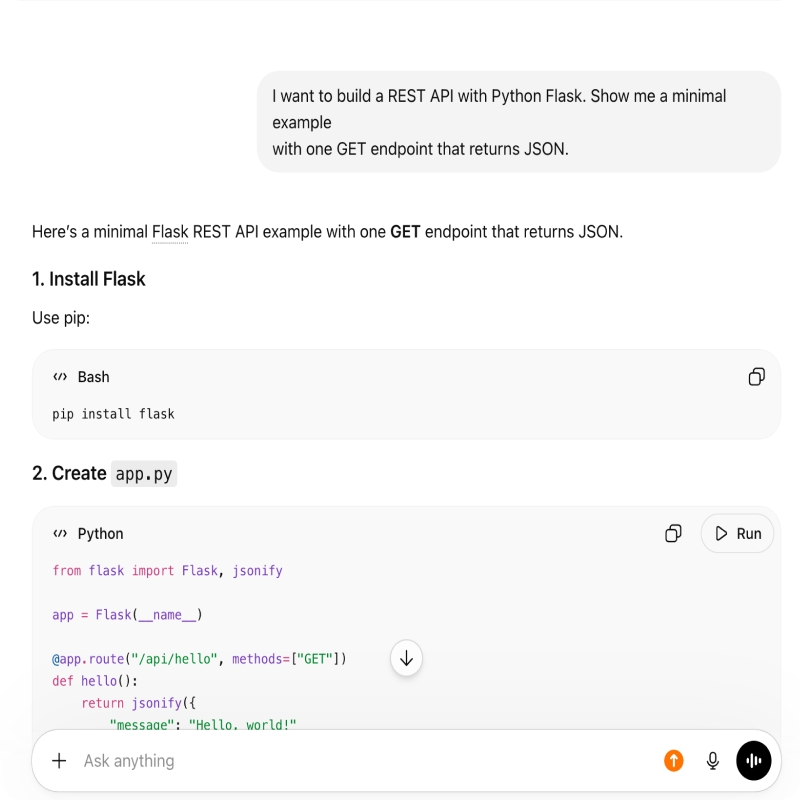

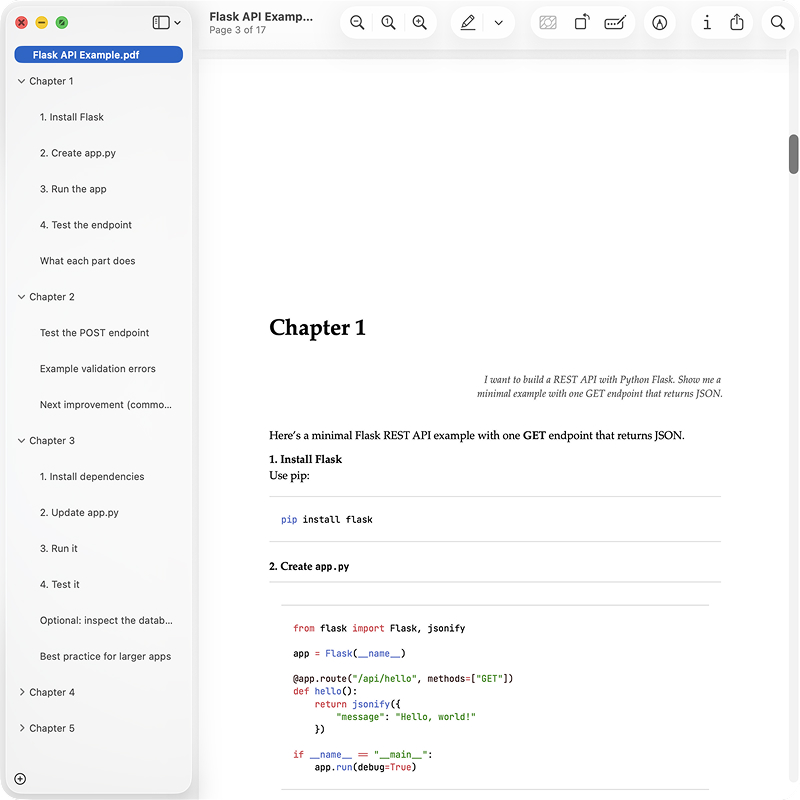
Export with elegance
Everything you need for beautiful conversation exports
Book-Quality Typography
Powered by Typst — serif body text, styled headings, and proper margins. Not the monospace wall of text other exporters give you.
Browser Extension
Export chats directly from chatgpt.com. You choose exactly what to send — nothing is collected automatically.
Clear Visual Hierarchy
User prompts, AI replies, code blocks, and lists are visually distinct — so long conversations stay scannable and readable.
Navigation & Page Structure
Table of contents, section breaks, and smart pagination — jump to any part of the chat instead of scrolling through one endless page.
From chat to PDF
You control what you export. Use the Chrome extension on chatgpt.com to send a chat, then customize and download a beautiful PDF.
Create Account
Sign up in seconds to access the editor and download PDFs.
Export from Chat
Install the browser extension, open a ChatGPT conversation, and send it to BeautifulPDF in one click.
Preview & Customize
Choose a template, adjust settings, and preview your PDF before exporting.
Download PDF
Get a beautifully formatted PDF with perfect typography, ready to share or print.
Export from ChatGPT
Works on chatgpt.com. The Chrome Web Store listing is not live yet — during beta, load the unpacked build you received.
- 1.Open
chrome://extensions, turn on Developer mode, and click Load unpacked. - 2.Select the BeautifulPDF folder (the unzipped
chrome-mv3build). Need the zip? Email shemmmil1996@gmail.com. - 3.Open a conversation on chatgpt.com and click Export to PDF next to Share. Preview and download in the editor.
See the difference
Typical exporters dump your chat into a monospace wall of text. We format it like a document you'd actually want to read, navigate, and print.
Other Exporters
Raw dump, no structure
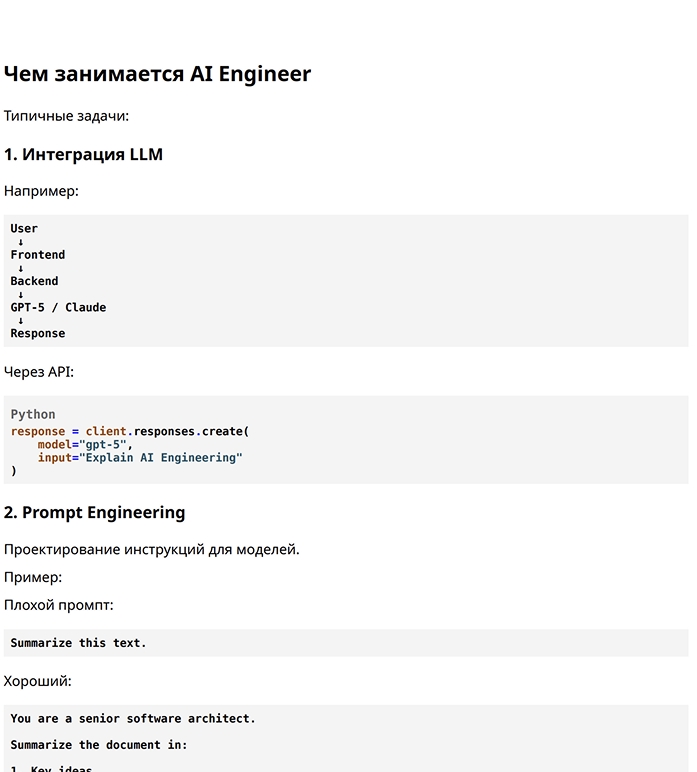
- Monospace font — looks like a terminal, not a document
- No visual hierarchy — user and AI replies blur together
- Poor readability — dense blocks with no breathing room
- No navigation — can't jump to sections in long chats
- No page structure — awkward breaks mid-conversation
BeautifulPDF Export
Structured like a published book
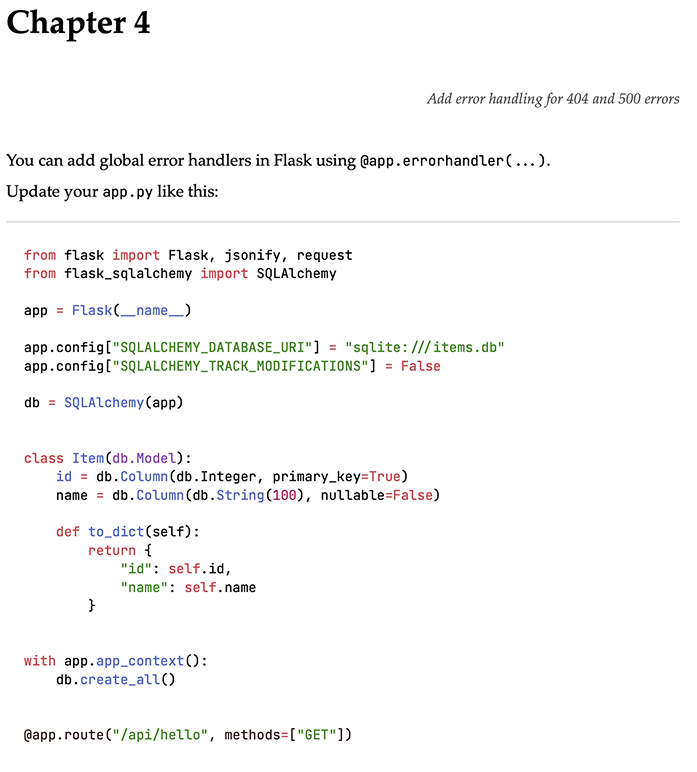
- Elegant typography — serif body text, styled code blocks
- Clear visual hierarchy — roles, headings, and spacing
- Built for reading — margins, line height, and flow
- Easy navigation — table of contents for long conversations
- Smart page breaks — each section starts where it should
Your Privacy is Sacred
Beautiful exports require server-side processing — there is no way around that with Typst. Your chat is stored temporarily for preview and PDF generation, then deleted within 2 hours.
Typst-Powered Formatting
We use Typst, a professional typesetting engine, to deliver book-quality PDFs. Server-side rendering is what makes the typography this good.
Temporary Storage Only
Your conversation is stored on our servers so you can preview and download the PDF, then deleted within 2 hours of the last update. We never keep a permanent copy.
You Control Your Data
The extension asks for consent before upload. We only process the ChatGPT chat you explicitly send — nothing is collected automatically.
Common Questions
Ready to export a ChatGPT chat?
Export a ChatGPT conversation with the extension and get a beautifully formatted PDF in minutes. Free during beta.